
WorkTracker › Features › Todos & AI tasks
Todos — a personal kanban board your AI agents work with you
Follow-ups suggested from your real day land on your own kanban board — and the ones you flag as AI tasks get picked up, worked on a branch and handed back for your review by your own AI agents.
Suggestions grounded in what actually happened
Every day view has a Suggested todos list: the AI reads the same digest of the day’s events that powers the tracking check — the mails you sent, the reviews you touched, the meetings you sat in — and proposes up to eight concrete next actions: reply to the question, follow up the review, book the meeting you promised.
It is a small feature that saves the step you always forget: keep the ones worth doing and add them straight into your todo workflow with one click — they become real todos on your board, right alongside the ones you write by hand.
Suggestions are grounded in the log, never invented, and marked as outdated the moment the day’s events change.
Your personal kanban board
One click turns a suggestion into a real todo on your board — next to anything you add by hand and whatever Jira and Trello say is assigned to you. Every todo moves through the same lifecycle: New → In progress → Blocked → Review → Completed. Drag a card between columns, or switch to the list layout — same cards, same detail view with notes, attachments and shortcuts.
Todos taken from a shared project (see /features/projects) wear the project’s colored label, mirror their status back into the project for everyone to see, and completing one offers the project’s next unblocked todo right there on the board.
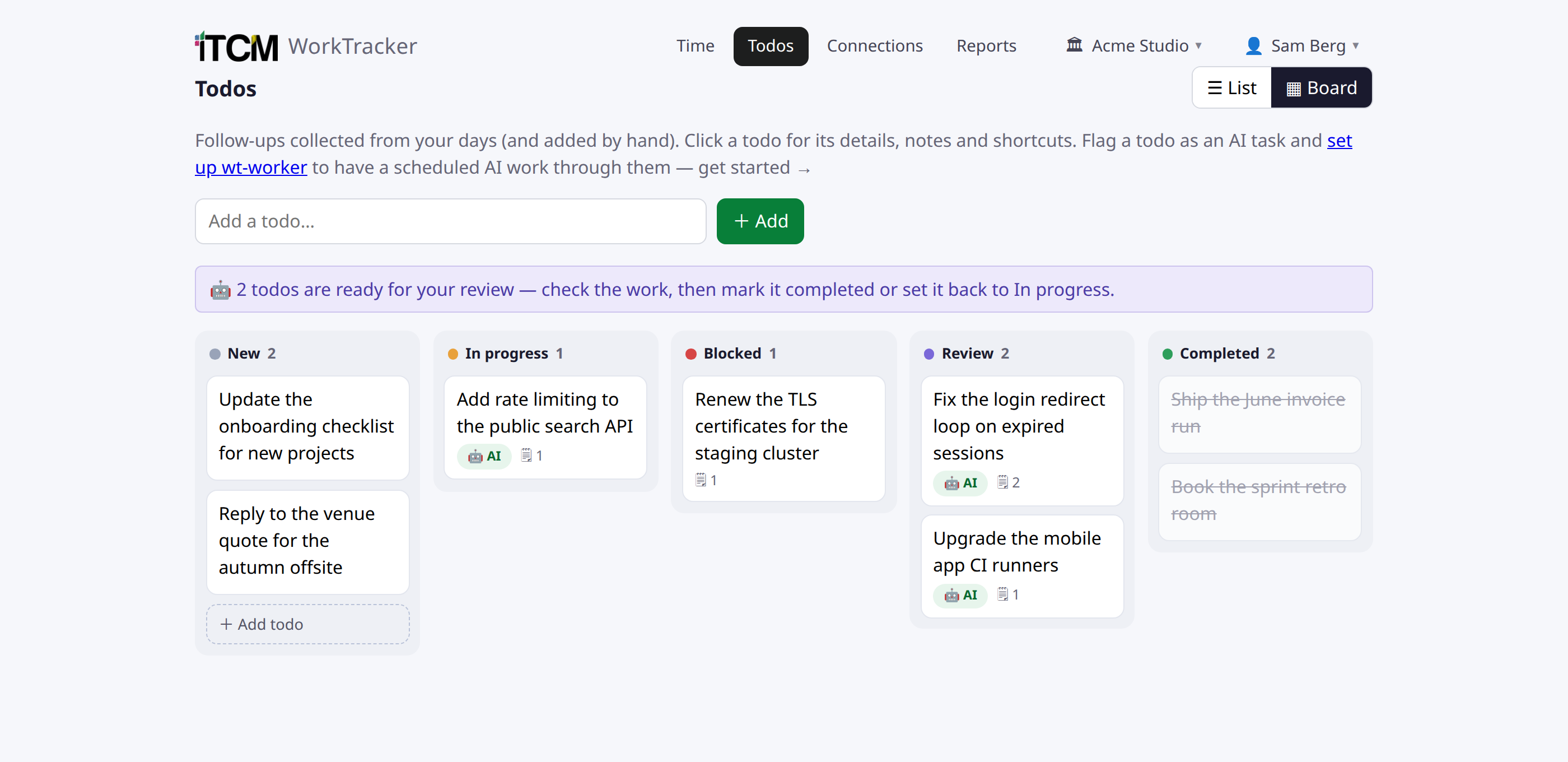
Flag it as an AI task — your own agent does the work
The board is also a work queue for your AI agents. Flag a todo as an AI task, write instructions for how to complete and verify it, and an agent connected over MCP — or the scheduled worker described at /features/wt-worker — claims it (New → In progress), works it on a branch, opens a draft pull request, and keeps an honest run log in the todo’s notes.
Finished work comes back as Review, never Completed — the last column is yours alone. You watch the whole thing happen on the same kanban board you drag your own cards across.
Connect the time you spent
Once you worked on a todo, connect the time entry: pick a recent time entry and the todo shows what was tracked on it. Planning and billing stop being two separate worlds.
Send it where the work happens
- Jira — create a Task in any of your projects (picked from a live project list).
- Trello — create a card on any board and list you have.
- Google Calendar or Microsoft Calendar — book the follow-up as a meeting with a chosen time and duration.
- The export badge on the todo links straight to the created issue, card or event.
Behind the privacy filter, like everything else
Todo suggestions run behind the same AI privacy filter as every analysis: private, personal or sensitive content is dismissed before the model proposes anything. Read the full policy at /privacy.
Try WorkTracker free for 7 days
Connect your tools and see your whole workday collected and summarized. No card required.
Create your company