
WorkTracker › Features › Company reports
Company reports that match your invoices
Monthly per-client and per-project summaries across the whole team — filtered, budgeted, and exportable as a PDF that groups exactly like your invoices.
The month at a glance
Admins get a Toggl-style monthly report for the whole company: total tracked time, per-day bars stacked by member, and two distribution donuts — by client and by member — so the shape of the month is visible before any table.
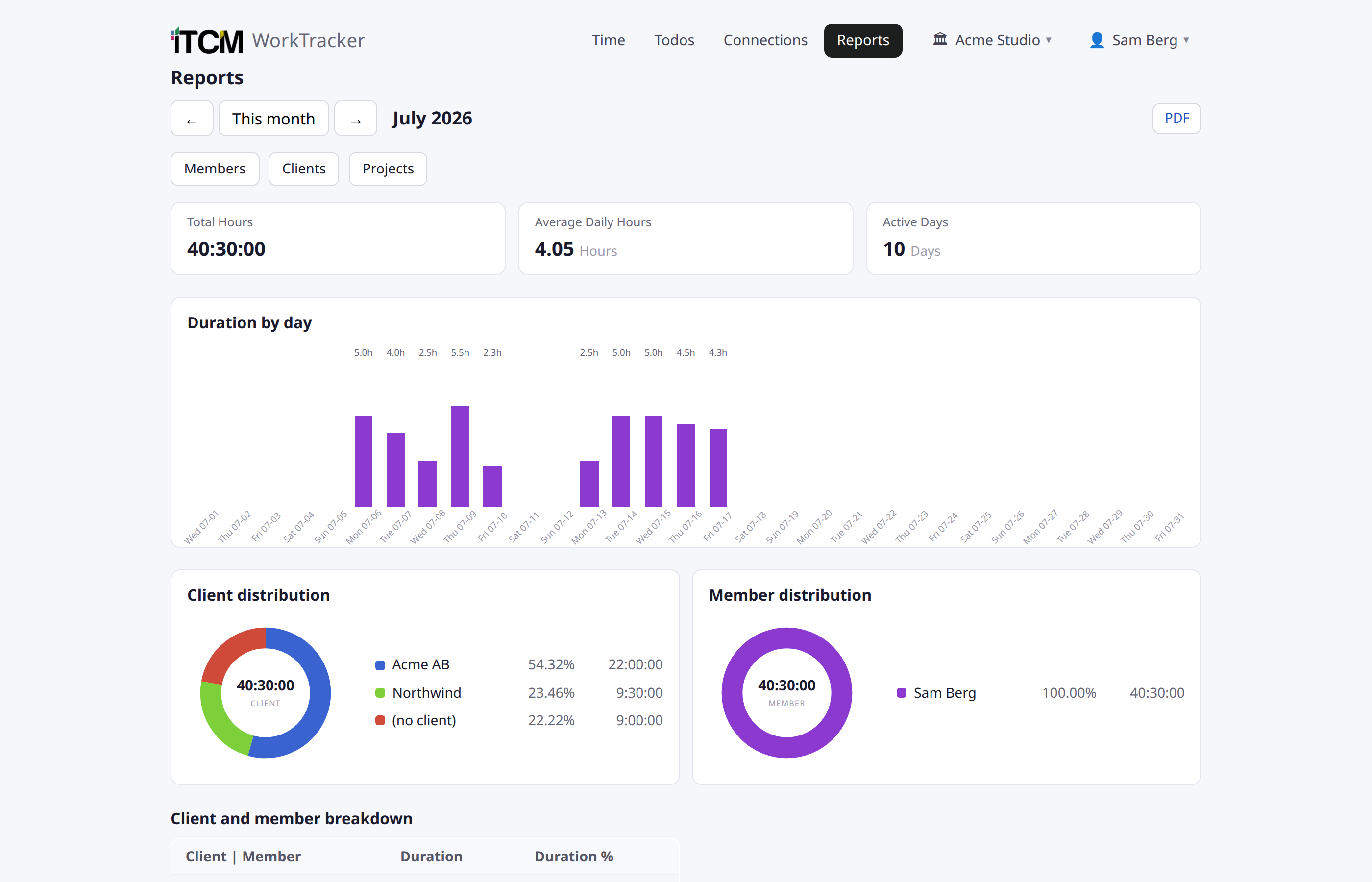
Grouped the way you bill
Time rolls up per client and per project, with the actual entry descriptions beneath each project — the same grouping your invoices use, so reconciliation is reading, not spreadsheet work. Clients and projects live in one company registry and stay one vocabulary across the team.
Filters that follow into the PDF
- Multi-select filters for clients, members and projects.
- One-click PDF export that keeps the active filters and the same grouping.
- Per-client pages with day bars, donuts and breakdown tables.
Budgets with live progress
Projects and clients can carry an hour budget — total or per month — and show live progress bars both in the admin registry and right in the project picker when the team adds time. Projects can be deactivated or given start/end dates so old work stops appearing in pickers.
Only tracked time — by design
Reports contain exactly what users tracked: timed entries. Private, untracked work items never appear in any company view — that boundary is documented in the privacy policy at /privacy.
Try WorkTracker free for 7 days
Connect your tools and see your whole workday collected and summarized. No card required.
Create your company